Best AI Phones to Buy in 2026: Camera, Battery, Productivity and Long-Term Value
Compare the best AI phones to buy in 2026 for professionals, creators, camera users, Android fans, iPhone users and value-focused buyers.
30-Second Summary
| If you want... | Shortlist |
|---|---|
| Best all-round AI phone | Apple iPhone 17 |
| Best Android productivity phone | Samsung Galaxy S26 Ultra |
| Best Google AI experience | Google Pixel 10 Pro |
| Best value AI phone | Google Pixel 10 |
| Best camera-first AI phone | Xiaomi / Oppo Ultra-style flagship |
| Best foldable AI phone | Motorola Razr Ultra-style foldable |
Venveel Recommendation
For most professionals, I would not buy a phone only because the launch event said "AI" fifty times. I would buy the phone with the best mix of battery life, camera reliability, software support, ecosystem fit and AI features I will actually use every week.
Quick List: Best AI Phones In 2026
| Rank | Phone | Best for | My short verdict |
|---|---|---|---|
| 1 | Apple iPhone 17 | Most people | Safe, polished and likely to age well |
| 2 | Samsung Galaxy S26 Ultra | Android power users | Big-screen productivity with the deepest feature set |
| 3 | Google Pixel 10 Pro | Google AI | Best if Gemini, photos and smart software matter most |
| 4 | Google Pixel 10 | Value | The smarter buy if you want AI without Ultra pricing |
| 5 | Xiaomi 17 Ultra | Camera-first buyers | Strong for photography, less universal for everyone else |
| 6 | OnePlus 15 | Battery and charging | Fast, practical and usually better value |
How To Read This Guide
This is not a lab ranking. It is a buyer-focused guide for people who want to know which AI phone makes sense for real life: calls, work messages, photos, travel, search, note capture, battery anxiety and long-term ownership.
I am giving more weight to useful AI features than flashy demos. Live translation, transcription, photo cleanup, call summaries, screen search and writing help can matter. A gimmick you open twice and forget does not.
Best Overall: Apple iPhone 17
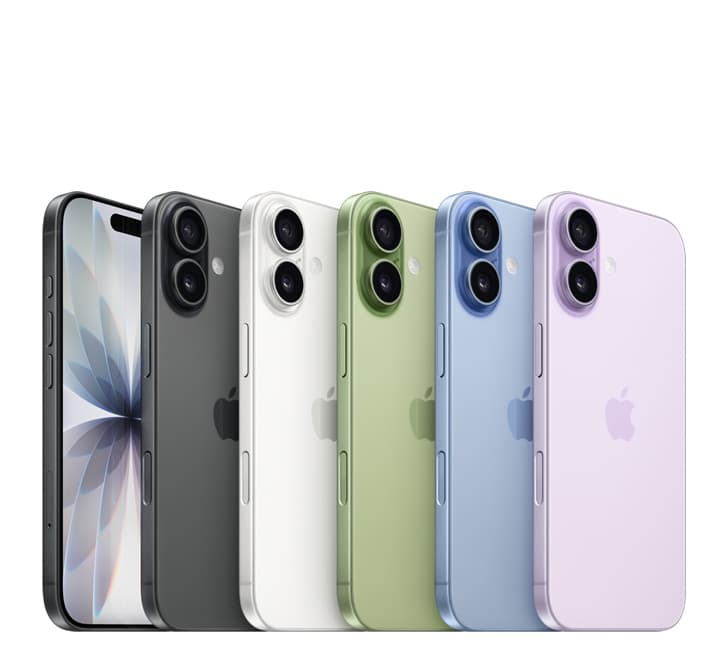
Apple iPhone 17
Best all-round AI phone
Approx. Price
Check latest price
Buy If
- • You want long software support
- • You use Apple devices already
- • You care about resale value and reliable apps
Skip If
- • You want Android customization
- • You need extreme zoom hardware
- • You want the cheapest AI phone
Our Verdict
This is the safest AI phone pick for most professionals because the whole experience is reliable, not just the AI feature list.
Check Amazon price →Check Apple →Pros
- Strong long-term software support
- Excellent app ecosystem and resale value
- Smooth fit with MacBook, iPad, AirPods and Apple Watch
- AI features are integrated into everyday iOS workflows
Cons
- Less flexible than Android
- Expensive if you want more storage
- Some advanced AI features may depend on region, language or cloud processing
Why I Chose It
The iPhone 17 is not the most adventurous AI phone, but it is the one I would recommend to the largest number of people. A professional phone should not only be clever. It should be dependable when you are travelling, taking calls, paying bills, scanning documents, joining meetings and handling important messages.
Apple's advantage is integration. AI tools feel less like a separate app and more like part of the operating system. That matters because most people do not want to manage another assistant. They want their phone to quietly help with writing, searching, photos, summaries and daily tasks.
AI Features That Matter
| AI feature | Why it matters |
|---|---|
| Writing tools | Useful for emails, messages and quick rewrites |
| Visual intelligence | Helps identify objects, text and context from camera/screen |
| Photo cleanup | Useful for removing distractions from casual photos |
| Smart summaries | Helps with notes, messages and information overload |
| ChatGPT handoff | Useful when Apple's assistant needs deeper help |
Specs To Check Before Buying
| Spec | What to check |
|---|---|
| Storage | 256GB is safer if you shoot lots of photos/video |
| Display | Choose size based on comfort, not only screen envy |
| Battery | Check real reviews for your variant |
| Region | Confirm AI feature availability in your country |
| Warranty | Check AppleCare and local service options |
Best Android Productivity: Samsung Galaxy S26 Ultra
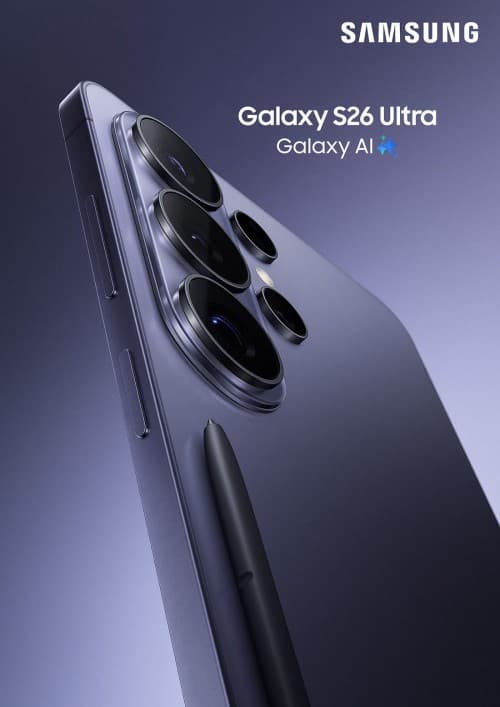
Samsung Galaxy S26 Ultra
Best Android productivity phone
Approx. Price
Check latest price
Buy If
- • You want a big screen and S Pen
- • You multitask heavily
- • You want a premium Android phone for work
Skip If
- • You prefer compact phones
- • You want the best value
- • You do not use productivity features
Our Verdict
The Galaxy Ultra line makes most sense for people who genuinely use the large screen, notes and multitasking features.
Check Amazon price →Check Samsung →Pros
- Large screen is excellent for multitasking
- S Pen remains useful for notes and document markup
- Samsung's AI toolkit is broad and practical
- Strong zoom, video and productivity features
Cons
- Expensive and large
- Not the best choice if you do not use power-user features
- Samsung software can feel busy compared with Pixel or iPhone
Why I Chose It
The Galaxy S26 Ultra is the AI phone for people who use their phone like a pocket workstation. If you read PDFs, sign documents, take handwritten notes, split-screen apps, edit photos and manage work on the go, the Ultra makes more sense than a smaller flagship.
This is also the phone where AI feels like a toolkit: writing help, transcription, translation, image editing, screen search and note support. Not every feature is essential, but the breadth is useful.
Galaxy AI Features That Matter
| AI feature | Useful for |
|---|---|
| Writing Assist | Rewriting messages, emails and captions |
| Transcript summaries | Meetings, interviews and voice notes |
| Live translation | Travel and cross-language calls |
| Circle to Search | Identifying products, places, text and images |
| Generative photo edits | Removing objects and adjusting photos |
| S Pen + AI tools | Quick research, markup and extraction |
Specs To Check Before Buying
| Spec | What to check |
|---|---|
| RAM/storage | Heavy users should avoid the lowest storage if possible |
| Screen size | Try it in hand before buying if you dislike large phones |
| Charging | Compare charger availability and charging speed |
| Camera | Check zoom samples, not only megapixels |
| Software updates | Confirm the promised update window |
Best Google AI Experience: Google Pixel 10 Pro
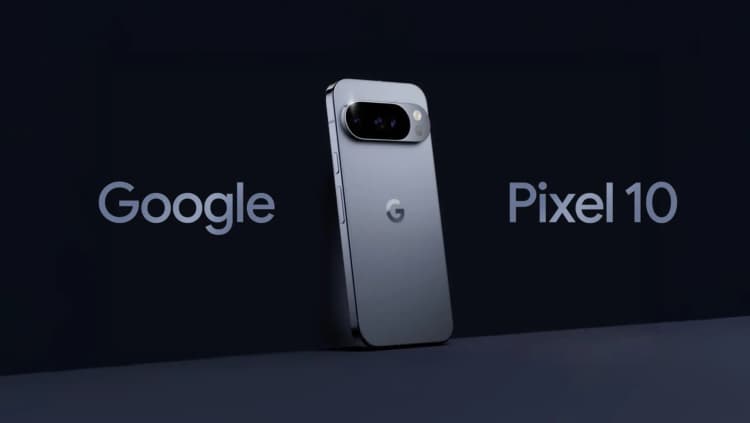
Google Pixel 10 Pro
Best Google AI phone
Approx. Price
Check latest price
Buy If
- • You use Google apps every day
- • You want smart photo and assistant features
- • You prefer clean Android
Skip If
- • You want iOS
- • You mainly care about gaming
- • You need the highest resale value
Our Verdict
Pixel is the natural pick if you want Google AI features to feel built into the phone rather than bolted on.
Check Amazon price →Check Google Store →Pros
- Best fit for Google apps and Gemini
- Excellent computational photography
- Clean Android experience
- Usually first in line for Google's newest AI features
Cons
- Gaming and sustained performance may not beat every flagship
- Resale value can be weaker than iPhone in some markets
- Availability and service experience vary by country
Why I Chose It
If your life is already inside Gmail, Google Photos, Maps, Drive, Calendar and Search, the Pixel 10 Pro is the most natural AI phone. It does not feel like a generic Android phone with an assistant added later. It feels like Google's AI layer is part of the phone's personality.
The camera is another reason to consider it. Pixel phones have long been strong at turning ordinary shots into usable photos, and AI editing makes that advantage more obvious.
Pixel AI Features That Matter
| AI feature | Useful for |
|---|---|
| Gemini integration | Natural assistant-style help |
| Call screening | Filtering unwanted calls |
| Recorder transcription | Interviews, notes and meetings |
| Magic Editor / photo cleanup | Fast edits without Photoshop skills |
| Circle to Search | Visual search from any screen |
| Smart suggestions | Contextual help across Google apps |
Specs To Check Before Buying
| Spec | What to check |
|---|---|
| Storage | Photos and video fill storage quickly |
| Service support | Confirm local repair options |
| Battery | Look for real-world endurance, not just capacity |
| Camera | Compare portraits, low light and video samples |
| AI availability | Some features depend on language or region |
Best Value AI Phone: Google Pixel 10
Google Pixel 10
Best value AI phone
Approx. Price
Check latest price
Buy If
- • You want Pixel AI features at a lower cost
- • You like clean Android
- • You want long software support
Skip If
- • You need pro camera hardware
- • You want ultra-fast charging
- • You want the largest display
Our Verdict
The regular Pixel is often the smarter buy because it keeps the useful AI experience without forcing every buyer into ultra-premium pricing.
Check Amazon price →Check Google Store →Pros
- Strong AI experience at a lower price
- Clean Android and long update promise
- Good enough cameras for most users
- Easier to recommend than many ultra-premium phones
Cons
- Pro model has stronger camera hardware
- Not the best for heavy gaming
- Charging may lag some Chinese flagships
Why I Chose It
The regular Pixel 10 is probably the phone many people should buy but fewer people brag about. That is exactly why it belongs here. If you want the best AI phone experience for everyday use, you may not need the biggest display, most expensive camera setup or highest storage tier.
This is the value argument: spend less, keep the useful AI layer, and avoid paying for features you will not use.
Pixel 10 AI Features That Matter
| AI feature | Useful for |
|---|---|
| Gemini | Everyday questions and task help |
| Photo tools | Cleanup, edits and better shots |
| Recorder features | Notes and transcription |
| Screen search | Shopping, learning and travel |
| Google app context | Calendar, Gmail, Photos and Maps workflows |
Best Camera-First AI Phone: Xiaomi 17 Ultra
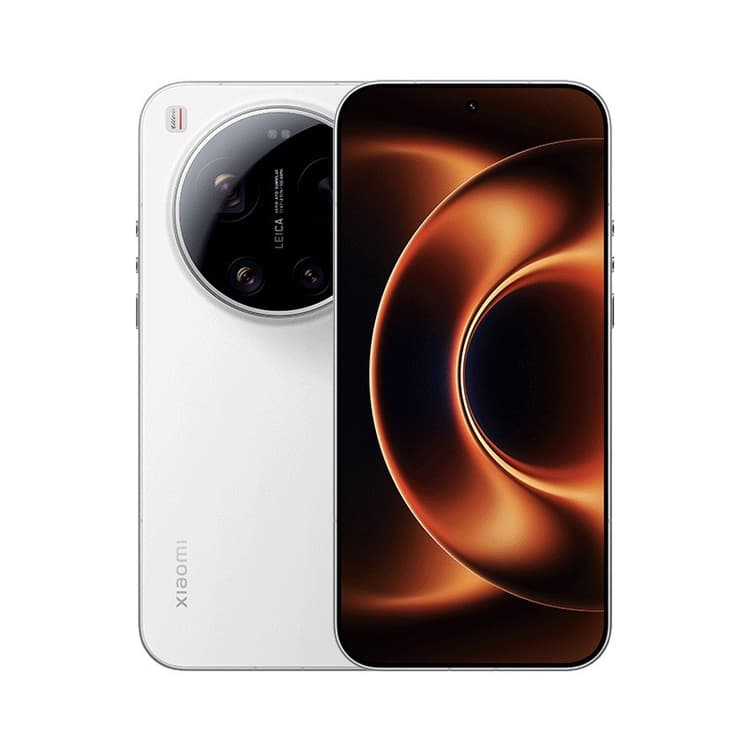
Xiaomi 17 Ultra
Best camera-first AI phone
Approx. Price
Check latest price
Buy If
- • You care most about camera hardware
- • You shoot travel, food, portraits or creator content
- • You are comfortable with Android customization
Skip If
- • You want the simplest software
- • You care most about resale value
- • You want the most predictable support experience
Our Verdict
This is the kind of phone to shortlist if photography matters more than ecosystem comfort.
Check Amazon price →Check Xiaomi →Pros
- Strong camera hardware
- Good choice for photography-heavy buyers
- Competitive performance for the price
- Often aggressive with charging and display specs
Cons
- Software taste is personal
- Availability can vary by region
- Resale and service may not match Apple or Samsung
Why I Chose It
Some buyers should not start with iPhone vs Samsung vs Pixel. They should start with the camera. If you use your phone as your main travel camera, content tool or family photo device, a camera-first Ultra flagship can make sense.
The tradeoff is that camera-first phones are not always the easiest all-round recommendation. Before buying, compare the software, updates, repair options and whether the camera look matches your taste.
AI Camera Features To Compare
| Feature | Why it matters |
|---|---|
| Object removal | Useful for travel and crowded places |
| AI zoom | Can help, but should not invent unrealistic detail |
| Portrait processing | Skin tone, edge detection and natural blur matter |
| Night mode | Watch for over-bright or fake-looking results |
| Video processing | Stabilization and HDR matter for creators |
Best Battery And Charging: OnePlus 15
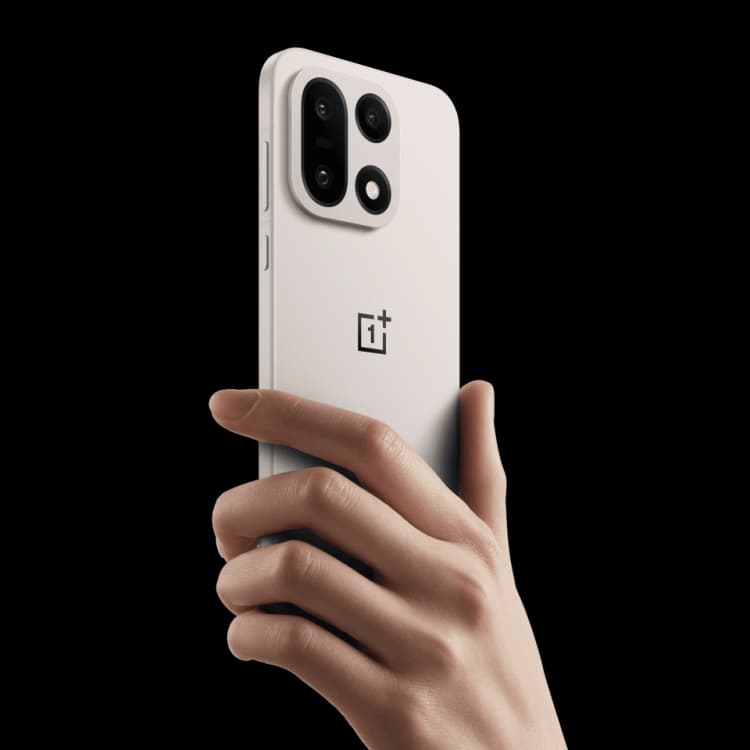
OnePlus 15
Best battery and charging AI phone
Approx. Price
Check latest price
Buy If
- • You want fast charging and strong performance
- • You dislike battery anxiety
- • You want flagship speed without maximum flagship pricing
Skip If
- • You want the best camera phone
- • You prefer iOS
- • You care most about resale value
Our Verdict
OnePlus is the practical pick when speed, battery and charging matter more than brand prestige.
Check Amazon price →Check OnePlus →Pros
- Strong performance for the money
- Fast charging is genuinely useful
- Usually good display and smooth software
- Practical for heavy users
Cons
- Camera may not match the best camera phones
- Software preference varies
- AI features may not feel as deep as Pixel or Samsung
Why I Chose It
Battery life is underrated in AI phone discussions. AI features are nice, but they matter less when your phone is dead at 6 p.m. If you are a heavy user who values speed and charging convenience, OnePlus deserves a place on the shortlist.
This is not the most sophisticated AI ecosystem pick. It is the practical pick for people who want the phone to stay fast and charged.
Gemini vs Apple Intelligence vs Galaxy AI
| Platform | Best at | Weakness |
|---|---|---|
| Google Gemini / Pixel AI | Assistant, context, search, photos | Best features may depend on Google services |
| Apple Intelligence | Smooth OS-level integration | Some features roll out slowly by region/language |
| Samsung Galaxy AI | Broad toolkit across apps | Can feel less unified than Pixel or iPhone |
| OnePlus / Xiaomi AI layers | Practical features plus strong hardware | AI software may feel less mature |
My simple view: Pixel is best if you want AI to feel smart. Samsung is best if you want many tools. Apple is best if you want AI to disappear into the apps you already use.
The AI Features That Actually Matter
Phone makers put "AI" on almost everything now, so I would separate useful features from demo features.
| AI feature | Worth caring about? | Why |
|---|---|---|
| Live translation | Yes, for travellers and global teams | It can remove real friction |
| Voice transcription | Yes | Useful for meetings, interviews and notes |
| Call screening / summaries | Yes, if available locally | Saves time and reduces spam |
| Circle / visual search | Yes | Useful for shopping, learning and travel |
| Photo cleanup | Yes, but not a reason alone to upgrade | Handy for casual editing |
| AI zoom | Maybe | Useful only if results stay realistic |
| Webpage summaries | Sometimes | Can miss nuance, so verify important content |
| Generative wallpapers | Nice, not important | Fun but not a buying reason |
Do not buy for one AI demo
If one AI feature impressed you in a video, wait and ask whether you would use it weekly. A phone is a daily tool, not a launch-event clip.
On-Device AI vs Cloud AI
On-device AI runs directly on the phone. It can be faster, more private and sometimes work offline. Cloud AI sends the task to remote servers, which can be more powerful but may need internet and different privacy controls.
| Processing type | Better for | Watch-out |
|---|---|---|
| On-device AI | Privacy, speed, offline tasks | Smaller models may be less capable |
| Cloud AI | Complex generation and deeper assistant tasks | Needs internet and clear privacy settings |
| Hybrid AI | Most real phone features | Harder to know where processing happens |
Before buying, check whether the features you care about work in your country, language and offline/online preference.
Buyer Comparison Table
| Buyer | Best direction |
|---|---|
| iPhone user | Stay with iPhone unless Android has a specific feature you need |
| Android power user | Galaxy Ultra-style phone |
| Google app user | Pixel Pro or Pixel |
| Camera-first user | Compare Pixel Pro, Galaxy Ultra and camera-focused Chinese flagships |
| Value buyer | Pixel 10, OnePlus 15 or discounted previous flagship |
| Professional | Prioritize battery, support, calls and ecosystem |
| Student | Prioritize price, battery, updates and repair cost |
| Creator | Prioritize camera, storage, microphones and video |
Before You Buy
Check the exact storage variant, exchange offer, bank discount, warranty and return policy before buying. Phone prices move quickly, especially around launch periods and festival sales.
Best phone buying trick
Do not compare only launch prices. Compare real street price, exchange value, warranty, storage and expected resale.
How We Chose These AI Phones
I weighted each phone across five practical areas:
| Criteria | What I looked for |
|---|---|
| Useful AI features | Translation, transcription, search, assistant, writing and photos |
| Everyday phone quality | Battery, display, camera, calls, apps and reliability |
| Software support | Update promise and long-term ownership |
| Ecosystem fit | Apple, Google, Samsung or Android flexibility |
| Value | Whether the AI features justify the price |
I did not reward a phone just for having the longest feature list. I gave more weight to features a normal buyer might use after the first week.
Frequently Asked Questions
Are AI phones worth buying in 2026?
Yes, if you are already upgrading. But if your current phone is fast, has good battery life and takes good photos, AI features alone may not justify the cost.
Which AI phone is best for professionals?
The best professional phone is usually the one with strong battery life, reliable calls, good camera, long updates and the ecosystem you already use. For most people, iPhone 17, Galaxy S26 Ultra and Pixel 10 Pro are the main shortlist.
Which AI phone has the best camera?
Camera-first flagships from Samsung, Google, Xiaomi and Oppo are the main shortlist. Compare real photo samples before buying because each brand has a different processing style.
Which AI platform is best: Gemini, Apple Intelligence or Galaxy AI?
Gemini is strongest for Google-style assistant and context. Apple Intelligence is strongest for iOS integration. Galaxy AI is strongest for the breadth of tools across Samsung apps.
Do AI phone features need the internet?
Some work on-device, but many advanced features still need cloud processing. Translation, transcription and photo cleanup vary by phone, language and region.
Should I buy an AI phone or an AI laptop first?
Buy the device that removes the bigger daily bottleneck. For most desk workers, the laptop matters more. For creators, travellers and mobile-first workers, the phone may matter more.
How much storage should I buy?
For most people, 256GB is the safer starting point in 2026. Choose more if you shoot lots of video, keep photos offline or use your phone for creator work.
Should I wait for a sale?
Wait if your current phone works well and a major sale is close. Buy sooner if your battery is poor, calls are unreliable, storage is full or the camera is limiting your work.
Recent Updates
| Date | Update |
|---|---|
| July 2026 | Expanded with richer product sections, AI-feature breakdowns, platform comparison and buying criteria |
| July 2026 | Added direct product cards and shopping links for each recommended phone |
Venveel Verdict
If you want the safest AI phone, choose iPhone 17.
If you want the strongest Android productivity phone, choose Galaxy S26 Ultra.
If you want the most Google-native AI experience, choose Pixel 10 Pro.
If you want better value, choose Pixel 10 or OnePlus 15.
AI is now part of premium phones, but it is not the whole story. Buy for reliability first, then treat AI as the layer that makes daily tasks faster.
Ready To Compare More Phones?
Venveel Recommendation
Choose by your real phone habits
Camera, battery, software support and ecosystem matter more than a long list of AI demos.
See Smartphone Buying Guide